
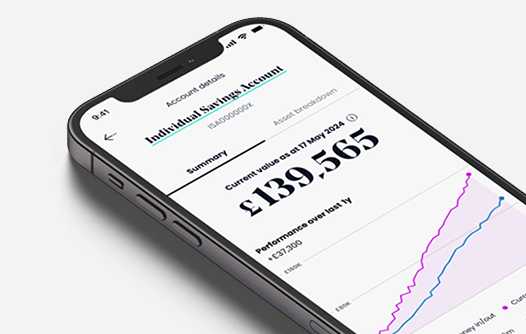
The SJP simple, interactive app design is now evolving to New Online Services, across laptop and tablet views.
Giving you the bigger picture and a fresh new look
The SJP App is all about simple design and ease of use. The new look has now been rolled out to laptop and tablet views. It’s the next big step in SJP’s ever-evolving digital Online Services.
The app has had over 120,000 downloads so far. And now, with these new ways to view, there’s even more choice on how and when you see your investments with us.

Try New Online Services now
With New Online Services. there’s no need for multiple sign-in details. Just use your current app sign-in email and password to gain access.
Not got the app yet? No problem, you can sign-up to Online Services and start using, then get the app at a later date, if desired.
Already an App user?
Sign in to our New Online Services using your existing SJP app sign-in details.
Sign in now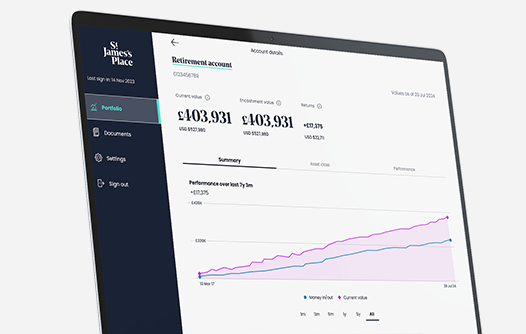
New to Online Services?
Sign up for New Online Services. See your investments on the device of your choice.
Sign up nowThe New Online Services will continually be expanding.
Right now, you will find the following features to help you keep track of your investments.
Current values
See the current values on all your investments, including encashment values.
Get informed on how much and where your money is being invested with detailed fund breakdowns.
Performance
Helpful and interactive graphs allow you to track past and current performance on your investments.
Get simple, clear values on all accounts you have with us.
Documents
Get all your correspondence instantly and securely to your document inbox.
Also, have the ability to update paperless preferences to just Online.
Ever-evolving features
SJP Online Services will never stand still. New featres are busily being worked on every single day.
There are also plans for:
– Areas to update and change your personal details and settings.
– A performance comparison tool, so you can compare your investments to a range of metrics.
– Helpful news and insights from our experts.

Safety and security first. It’s that simple.
As one of the largest advice-led wealth management firms in the UK, SJP strive to lead the way on digital safety and security. Peace of mind for you when it comes to your personal information. Just some of the safeguards include:
– Multi-factor authentication.
– Biometric sign-in.
– End to end encryption.
– A whole team of digital safety experts on your side.

Sign in or sign up now to our new laptop and tablet view
Be one of the first to explore the very beginning of the new look SJP Online Services, constantly evolving to bring you a best in class digital service.
Supporting you with the app
If you need support with the app, here are some answers to our most frequently asked questions.
For any further assistance, please call us on 0161 667 1482
Opening hours: Mon to Fri 9am -5pm.
General
How do I register for New Online Services?
New Online Services consist of two elements app and desktop/ tablet, you access both using one set of credentials, so it does not matter how you register or choose to access in the future.
The app is available to download from the App Store and Google Play Store. iPhones must be iOS 16 or later and Android 9.0 or later, but the app store should check if your device is compatible.
You can also register using desktop / tablet, click here.
We recommend you set aside 10 minutes to register for New Online Services. Please note, you will need access to a mobile device to complete ID&V. More information on this is available below.
What will I need to register for New Online Services?
You will need to set up a username, password and verify your identity. While you can register with any email address, we suggest a personal rather than work email. You’ll need either your passport or driving licence to hand and will be asked to take a selfie, purely for authentication purposes. We recommend you take the selfie against a clear background.
Only valid documents that are in-date and not expired will be accepted. The image uploaded must be a photograph of the original, not digital scans or photocopies, or pictures of ID from a screen. You will need to submit a good quality photograph of the whole document requested. Damaged documents, images with glare or smudges, or sections cut-off will not verify your identity.2
Why are the Terms and Conditions changing?
Due to our expanding and evolving Online Service, we will update our related Terms and Conditions on 02 May 2025. You can review the new T&Cs in advance of the update here.
Access and registration
I’ve forgotten my password, what should I do?
When registering for the app, you would have chosen an email address and password. The app allows you to reset your password via the “Forgotten details” link on the sign-in page.
Do I need to enter my username and password each time I log in?
No, the app uses biometric ID (fingerprint or facial recognition). However, if you fully log out via the main menu of the app, you will need to log back in with your email address and password. You may also be asked to enter a one-time passcode as a further security measure.
For desktop / tablet you will be required to enter your username and password each time.
Identification and verification
I’m being asked to take a photo of my passport or driving license, and to take a selfie; is this secure and will this information be stored?
We use an industry leading partner called Onfido to secure the data which is used for verification purposes only. Onfido securely stores all selfies, photos of identity documents, and facial scan data in an encrypted format. All data is permanently destroyed after 90 days and is not sold, leased or traded. Further information including Onfido is available under ‘Important information’ in the app.